



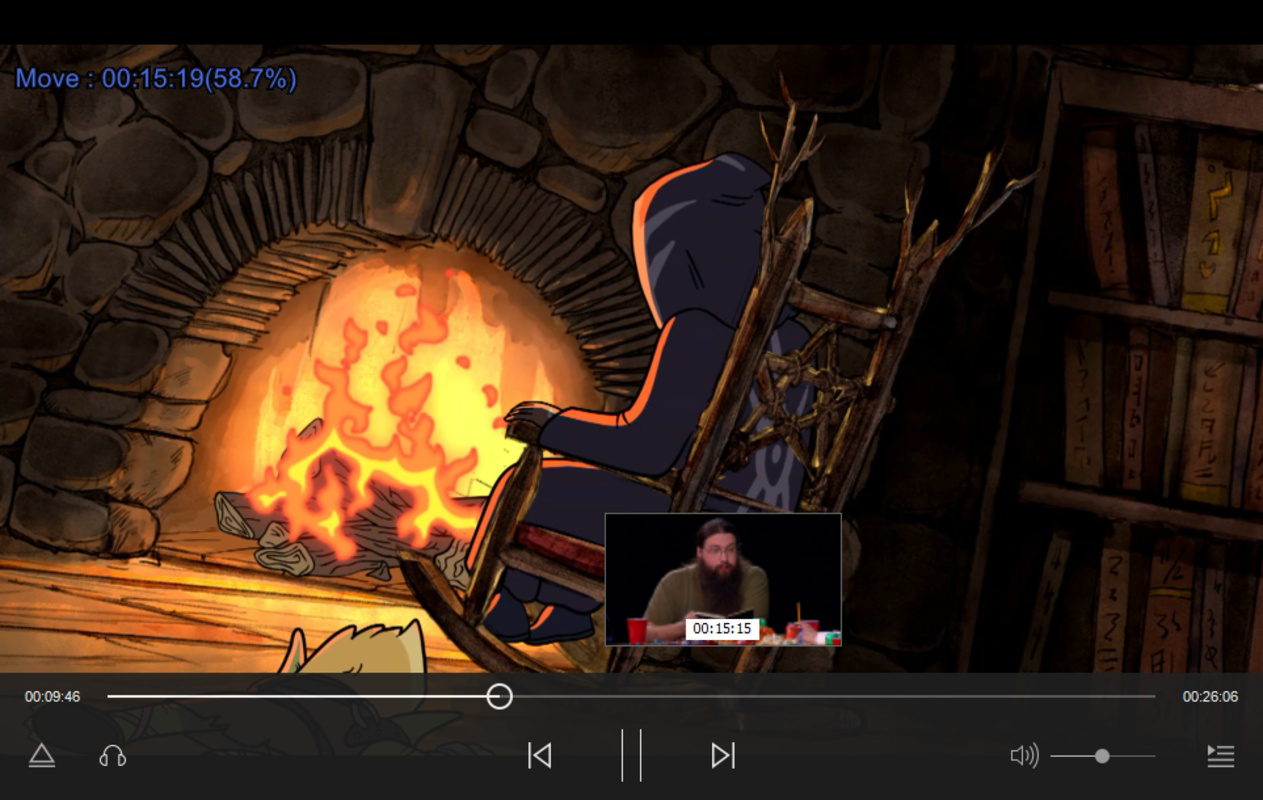


Description
Download CORNPlayer - The New Media Player – media player, video player, audio player, web browser, multimedia, streaming, offline playback, custom playback, format support
Overview
CORNPlayer - The New Media Player is a versatile multimedia application designed to deliver a seamless experience for users who frequently consume video and audio content on their Android devices. The app positions itself as a comprehensive media solution by combining a high-performance player with an integrated web browser, enabling users to browse the internet without switching applications. This dual functionality makes it particularly useful for individuals who want to multitask—such as watching a tutorial while researching related topics or streaming content while checking news updates.
Targeted at both casual users and tech-savvy individuals, CORNPlayer supports a broad range of video and audio formats, reducing the need for format conversion. This is especially beneficial for users managing personal media libraries with mixed file types. The app’s minimal resource usage also makes it suitable for older or lower-end Android devices that may struggle with heavier media applications.
Developed by CORN, the app was first released on January 29, 2018, and has since maintained a lightweight footprint while offering essential playback tools. Although the developer did not provide additional technical details, the app’s continued availability suggests a stable and functional core. In today’s crowded mobile app ecosystem, CORNPlayer stands out by addressing the common pain points of format incompatibility and inefficient multitasking.
Key Features & Functionality
- Integrated Web Browser: The app includes a built-in browser, allowing users to access websites directly within the media player interface. This feature enables uninterrupted multitasking—ideal for users who want to watch a video while checking related web content.
- Wide Format Support: CORNPlayer supports a diverse range of video and audio file formats, ensuring compatibility with most common media files without requiring conversion.
- Customizable Playback Options: Users can adjust playback speed, select specific audio tracks, and apply subtitles to enhance viewing preferences and accessibility.
- Minimal Resource Consumption: Designed with efficiency in mind, the app uses low memory and processing power, making it suitable for older or less powerful Android devices.
- User-Friendly Interface: The clean and intuitive layout ensures easy navigation, allowing users of all skill levels to quickly access features and start playing media files.
For example, a student might use the app to watch a lecture video while researching key concepts in the embedded browser. A traveler could play a downloaded movie with subtitles and browse travel guides without switching apps. The customization options also support users with specific accessibility needs, such as adjusting playback speed for better comprehension.
Interface, UX & Performance
The user interface of CORNPlayer is designed with simplicity and functionality in mind. The layout emphasizes accessibility, placing essential controls—play, pause, volume, and playback speed—within easy reach. Navigation is straightforward, with a clean menu structure that avoids clutter, making it ideal for users who prioritize efficiency over flashy design.
Although the developer did not list formal performance metrics, the app’s reported size of 22.7 MB suggests a lightweight architecture. This contributes to faster load times and smoother playback, especially on devices with limited RAM or older processors. The app appears to maintain responsiveness even when multiple tasks are active, such as browsing and playing media simultaneously.
Users can expect consistent performance across different Android device categories, including budget smartphones and mid-range models. Stability is maintained through minimal background processes, which reduces the risk of crashes or lag during extended use. The app’s ability to handle various file formats without significant delays indicates strong internal processing efficiency.
Platform Compatibility & Technical Requirements
CORNPlayer is available exclusively on the Android platform. The current version is 1.0.1, and the app occupies 22.7 MB of storage space. The developer did not specify minimum OS requirements or compatibility details for specific Android versions.
Given the app’s lightweight nature and long-standing presence since 2018, it is likely compatible with a broad range of Android devices, including those running older OS versions. However, users should verify compatibility with their device’s system specifications before installation. The app is available at no cost, making it accessible to a wide audience.
Pros and Cons
Pros
- Supports a wide variety of video and audio formats without conversion
- Integrated web browser enables multitasking without switching apps
- Low memory and CPU usage ideal for older or budget devices
- Intuitive interface suitable for users of all experience levels
- Free to download and use with no in-app purchases
Cons
- Developer did not provide detailed system requirements or OS compatibility information
- Specific features of the embedded browser were not disclosed
- No visible update history or changelog provided
- Limited customization options beyond playback settings
- No official support channels or user community mentioned
FAQ
Is CORNPlayer safe to download and install?
Yes, the app is available for free and does not require any special permissions beyond standard media access. As with any third-party app, users should ensure they download it from trusted sources to maintain device security.
Can I use CORNPlayer on older Android devices?
Given its small size and low resource consumption, CORNPlayer is likely suitable for older Android devices. However, the developer did not specify minimum OS requirements.
Does CORNPlayer support subtitles?
Yes, the app allows users to add and manage subtitles during playback, enhancing accessibility and viewing experience.
Is the embedded browser secure?
The app includes a built-in browser, but specific security features such as HTTPS enforcement or tracking protection were not disclosed by the developer.
How often is CORNPlayer updated?
There is no public update history or changelog available. The current version is 1.0.1, released in 2018, suggesting limited recent development activity.
Final Thoughts
CORNPlayer - The New Media Player delivers a focused and efficient experience for users seeking a lightweight, format-agnostic media solution with multitasking capabilities. Its integrated browser and minimal system impact make it a valuable tool for anyone who values performance and convenience on Android. While it lacks modern polish and detailed support information, its core functionality remains solid and practical.
Those who frequently play media files in various formats, especially on older or low-end devices, will benefit most from its resource-efficient design. Casual users and students alike can appreciate the seamless integration of web browsing and media playback.
Despite its age, CORNPlayer continues to serve a niche audience with clear needs. For users prioritizing simplicity, compatibility, and low overhead, it remains a reliable choice.
Download CORNPlayer now
Guides & Tutorials for CORNPlayer - The New Media Player
How to install CORNPlayer - The New Media Player
- Click the Preview / Download button above.
- Once redirected, accept the terms and click Install.
- Wait for the CORNPlayer - The New Media Player download to finish on your device.
How to use CORNPlayer - The New Media Player
This software is primarily used for its core features described above. Open the app after installation to explore its capabilities.
User Reviews for CORNPlayer - The New Media Player 0
No reviews found


